



Christmas photo filter

Christmas Filter: A Christmas Photo Filter for Your Own Pictures

This Christmas filter takes one photo you already have and gives you 1 to 4 festive versions in 2K, with no watermark. Choose Santa hat, Santa outfit, Snowfall, Warm lights, Snow globe or Vintage Christmas, or describe your own look.

Examples
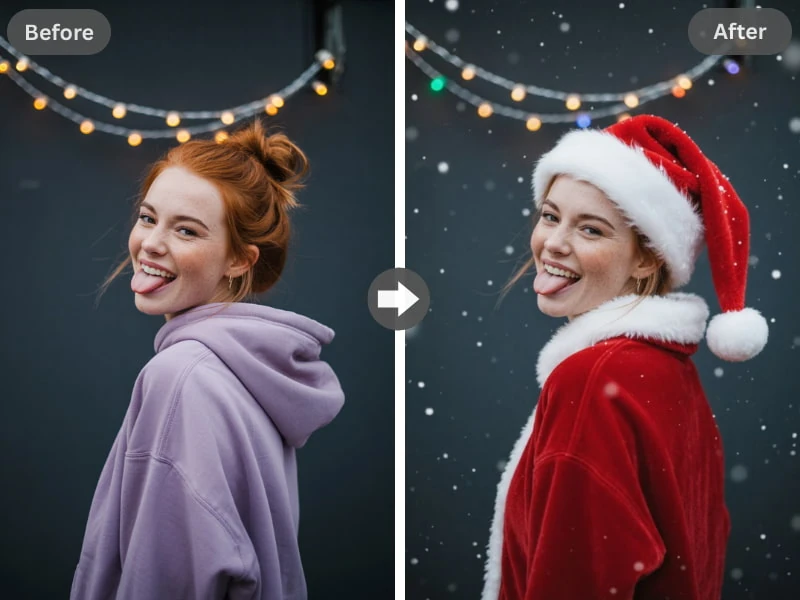
Before and after: a hoodie photo with a Christmas filter, Santa hat and snow
Photo to filter

A hoodie photo with a Christmas filter: Santa hat, coat and snow.

Use one clear photo of people, a group or a pet, up to 10 MB; drag it here or scan the code to send it from your phone.

  • ✓ Clear face
  • ✓ Good light
  • ✗ Too dark
  • ✗ Too far away
Style
More options
How many

From $9.98 · No subscription · Credits never expire · Photos deleted within 2 days

1 credit (about $0.40–$0.67)

What you get

What Comes Back From a Christmas Filter

  • 1 to 4Versions per runA Christmas filter run can return up to 4 pictures from one upload, so you can keep the one that suits you.
  • 2KNo watermarkEach result downloads as a 2K image with no logo in the corner, ready for a post or a group chat.
  • 2 daysYour upload gets deletedThe original you upload leaves our storage within 2 days. Finished pictures stay in your account until you ask us to remove them.

Pick a look

Six Christmas Filter Looks, Plus Your Own

Each preset changes the mood of a photo in its own way. You can also describe your own look, though we review custom requests first.

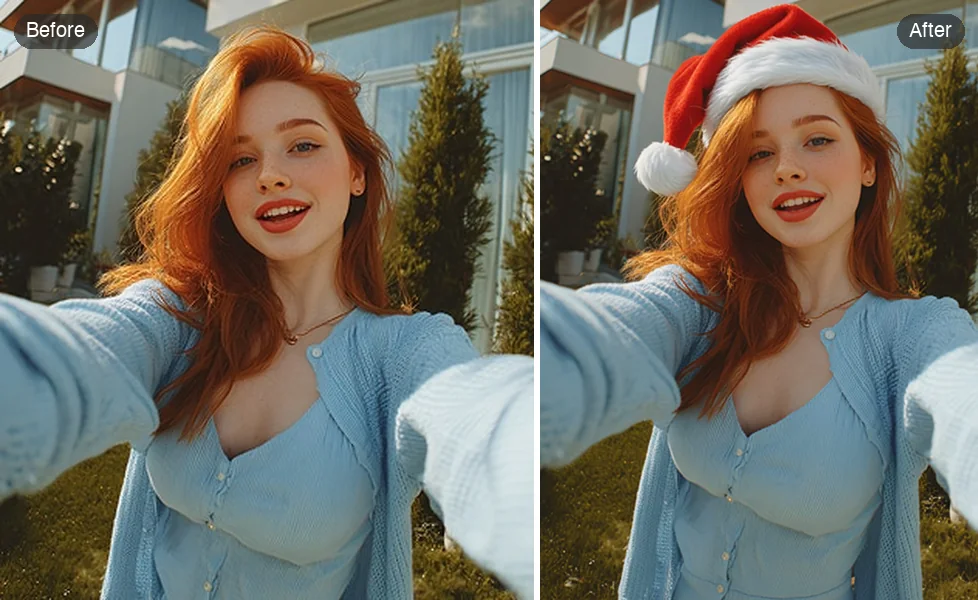
  1. Before and after: a selfie with a Santa hat added
    Light and silly · Santa hatGroup chats, coworkers and pets that need one small joke, not a full makeover.
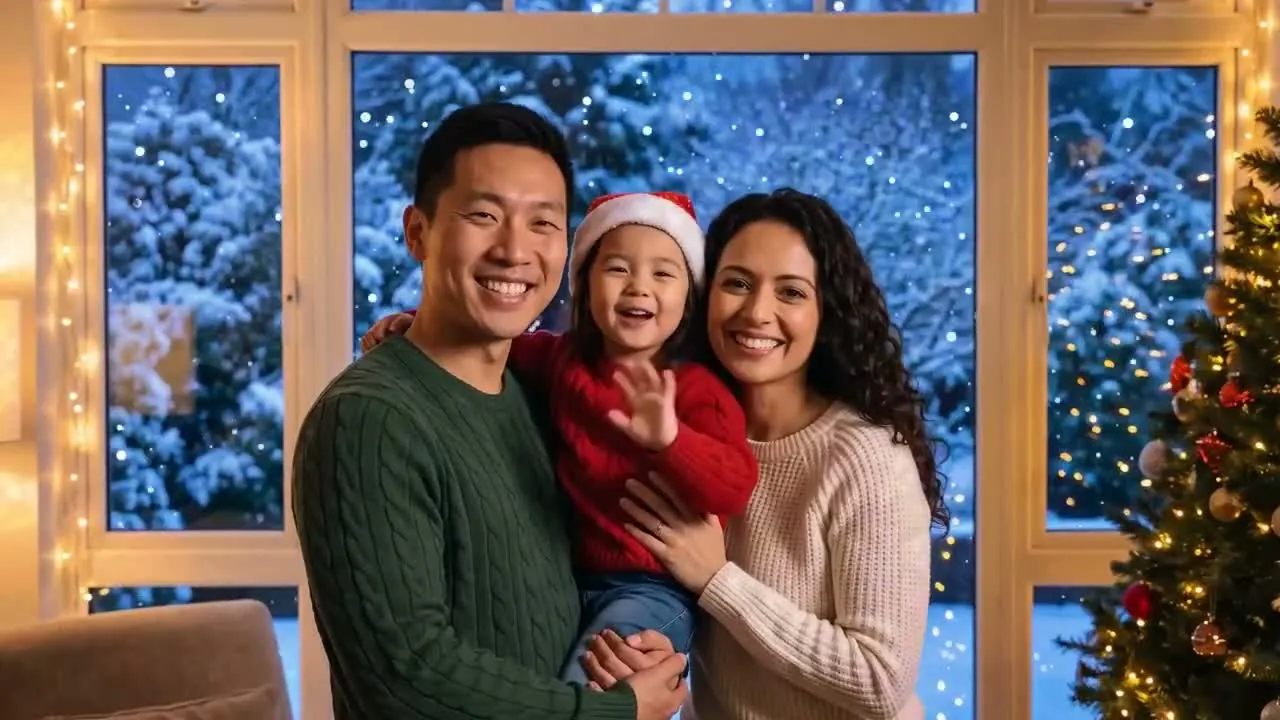
  2. A family by a window with snow falling outside
    Winter mood · SnowfallPhotos that could use snow outside the window or over a winter walk.
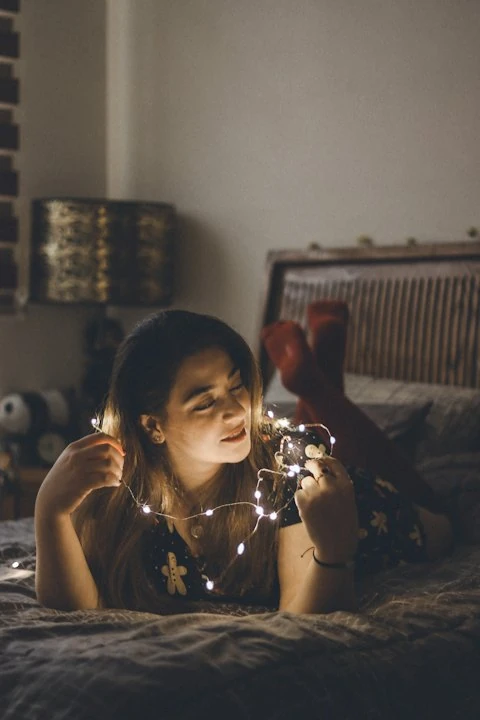
  3. A woman in a white sweater by a lit tree with round golden lights
    Cozy evening · Warm lightsTree shots and dinner-table photos that could use a softer holiday glow.
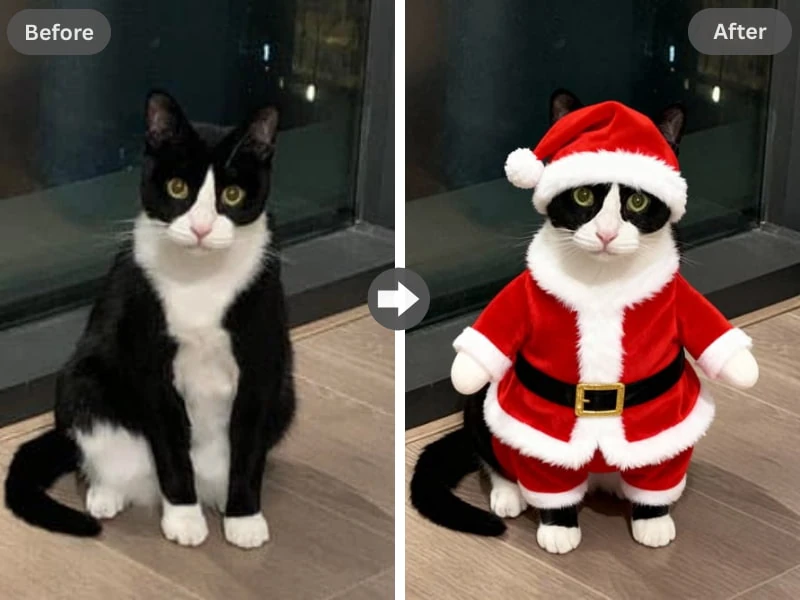
  4. Before and after: a cat photo with a Santa outfit filter
    Pet photos · Santa outfitPet owners who want a cat or dog dressed up for the season.
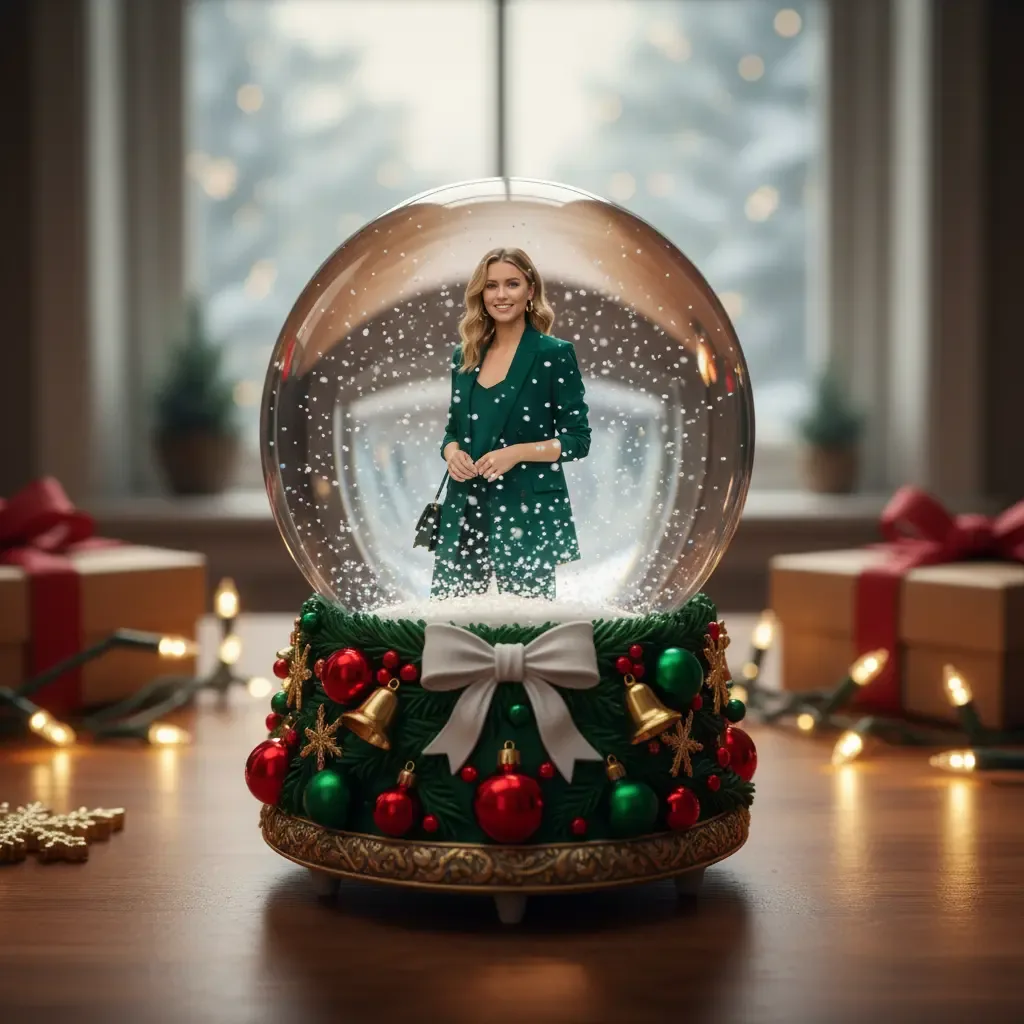
  5. A woman in a green coat inside a Christmas snow globe
    Keepsake · Snow globePortraits you want to look like a tiny scene inside glass.
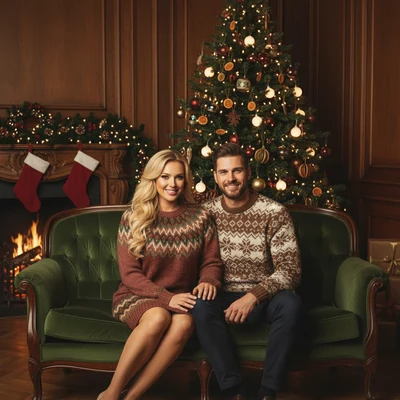
  6. A couple in retro patterned sweaters by a tree in a wood-panelled room
    Old-school · Vintage ChristmasAnyone who wants a Christmas filter with the warm look of an old family album.

How to Use a Christmas Filter in 3 Steps

  1. Add one photo

    Drag in a picture up to 10 MB, or scan the code and send it from your phone.

  2. Pick the look

    Choose a preset or describe your own, then ask for 1 to 4 versions.

  3. Download or keep going

    Save the 2K results with no watermark, or take your favorite on to a card or a short video.

Put it on an AI Christmas card

Christmas filter vs a live camera lens

Most people meet the word filter inside a social app, where a lens runs over the camera while you record. Those lenses are fun for a video selfie, but the effect lives inside that app and only works on what the camera sees right now.

Read more

This Christmas filter starts from the other end. You pick a finished picture, maybe from last weekend, maybe from three winters ago, and the Christmas filter gives you new image files. Nothing runs live, and nothing is tied to one app.

  • Choose a live lens when you want to film yourself right now.
  • Choose this Christmas filter when the photo already exists and you want a festive copy.
  • Choose this page when you need a file to post, send or put on a card later.
Add Santa to photo instead

A Christmas photo editor or a one-pass filter?

A Christmas photo editor gives you stickers, frames and sliders, and you place everything by hand. That suits people who like control and have an evening to spend. A Christmas photo filter gives you a finished look in one pass, so you trade fine control for very little work.

Read more

This page sits closer to the filter side. This tool has no layers to adjust: you choose a look, or write one, then pick from the versions it returns. If a Christmas filter version misses, run it again with another preset instead of nudging sliders. Each new run uses credits.

A sticker app keeps your original and adds objects on it. This page makes a new image, and that's the trade to know about: the whole picture can pick up the Christmas look, while small details can move. If every pixel of the original has to stay put, use a Christmas photo editor instead.

Photos that suit a Christmas filter

Sharp pictures with faces you can clearly see give a Christmas filter the most to work with. A heavily edited shot, a screenshot full of stickers or a face the size of a fingernail leaves very little to build on.

Read more

Good picks are the ones you already like but never posted: the couple selfie from the market, the group shot where everyone laughed at once, the dog in a sweater. People, groups and pets all work.

  • Faces in focus, looking roughly at the camera.
  • One file up to 10 MB per run.
  • A photo you took, or one you have the right to use.
  • A final check of every face. The Christmas filter is built to keep the people in your photo, but details can change.
Combine separate photos into an AI family Christmas photo

What a Christmas Filter Costs

15 credits

$9.98

15 photos, or 1 video + 5 photos

150 credits

$59.99

150 photos, or 15 videosSave 40%

Credit cost: 1 per filtered image, so a run of 4 versions uses four times that.Credits stay in your account with no expiry date.Packs are one-time purchases with no subscription: 15 credits for $9.98, 50 for $24.99 or 150 for $59.99.If a run fails, the credits go back to your balance automatically.

Changed your mind? Ask within 7 days if you've used less than 5% of a pack; a 5% fee applies. See the refund policy.

Who it's for

Who Reaches for a Christmas Filter

  • Couples

    A Christmas filter turns last weekend's selfie into a December post or the front of a card, with no new outfit and no trip to a tree farm.

  • Pet owners

    Pets count. Try Santa hat on the dog, then keep whichever version makes you laugh.

  • Profile-picture changers

    Switch your profile picture every December? A Christmas filter gives you a fresh one from a photo you already like.

  • Group chat friends

    Run the Christmas filter on the shot from the work party, pick Warm lights and drop it in the chat.

  • Small shops and creators

    Put a Christmas filter on a team photo for a holiday post. Paid results can be used commercially if you have the rights to the photo and the people in it.

A Christmas Filter Calendar

  1. Early December

    Go through your camera roll and save five photos you like. A Christmas filter needs something good to start from.

  2. Mid December

    Try the filter on your profile picture and a group shot, then post the one that made people laugh.

  3. Christmas week

    Send a Warm lights or Snow globe version to the family chat while everyone is still traveling.

  4. Early January

    Switch your profile picture back. Your Christmas filter versions stay in your account until you ask us to delete them.

Turn one into an AI Christmas video

Christmas Filter Questions

What is a Christmas filter?

A Christmas filter adds a festive look to a photo, such as snow, warm lights or a Santa hat. On this page, it works on a picture you upload and returns new image files, while a filter inside a social app runs live over your camera.

Can I use this filter on Instagram or Facebook?

A Christmas filter photo from this page is a regular image file, so you can post it on Instagram, Facebook or any other app after you download it. There's no in-app lens to open, and friends can't tap it to try the effect on their own camera.

If I make four versions at once, how many credits is that?

Christmas filter pricing is per image: the credit cost is 1 for each picture, so 4 versions cost four times that. Credits come in one-time packs of 15 for $9.98, 50 for $24.99 or 150 for $59.99, and they have no expiry date.

Will a Christmas filter change my face?

A Christmas filter here is built to keep the people in your photo and doesn't swap faces, but small details can still shift. Check every face before you share. If a face in the original is tiny, blurry or turned away, start with a clearer picture, because the result depends on what the upload shows.

Does it work on my dog or cat?

A Christmas filter works on pet photos as well as people and groups, and Santa hat and Snow globe are easy places to start. Use a picture where the pet's face is sharp. Fur and odd angles can come out differently from one version to the next, so ask for a few and keep the one you like.

Do I have to download a Christmas filter app?

You use a Christmas filter on this site in a browser, so there's nothing to install. Upload from the device where the picture lives, or scan the code to send it from your phone, then download the results. If you want a lens that runs over your camera, a social app is the right place for that.

What can't this filter do?

A Christmas filter can't add someone who wasn't in the upload, merge several photos or run on a video or a live camera. Each run takes one still photo up to 10 MB. For moving pictures, take a finished image to the video page and make a 5 or 10 second clip.

Put a Christmas Filter on a Photo You Already Love

Pick the picture, choose Snowfall or Warm lights and keep the version you like. The result is yours to post, send or turn into a short video.

Try the Christmas Filter